Room Tuner for iPhone
Better sound starts with your room.
Boomy bass? Unsure where to put your speakers? Measure your listening seat with your iPhone and get your first practical fix free.
Download free on the App StoreOne room. Unlimited readings. No subscription required.
For real measurements: iPhone with iOS 17 or later + an AirPlay 2 speaker, receiver or Apple TV.
See what your free reading includes ↓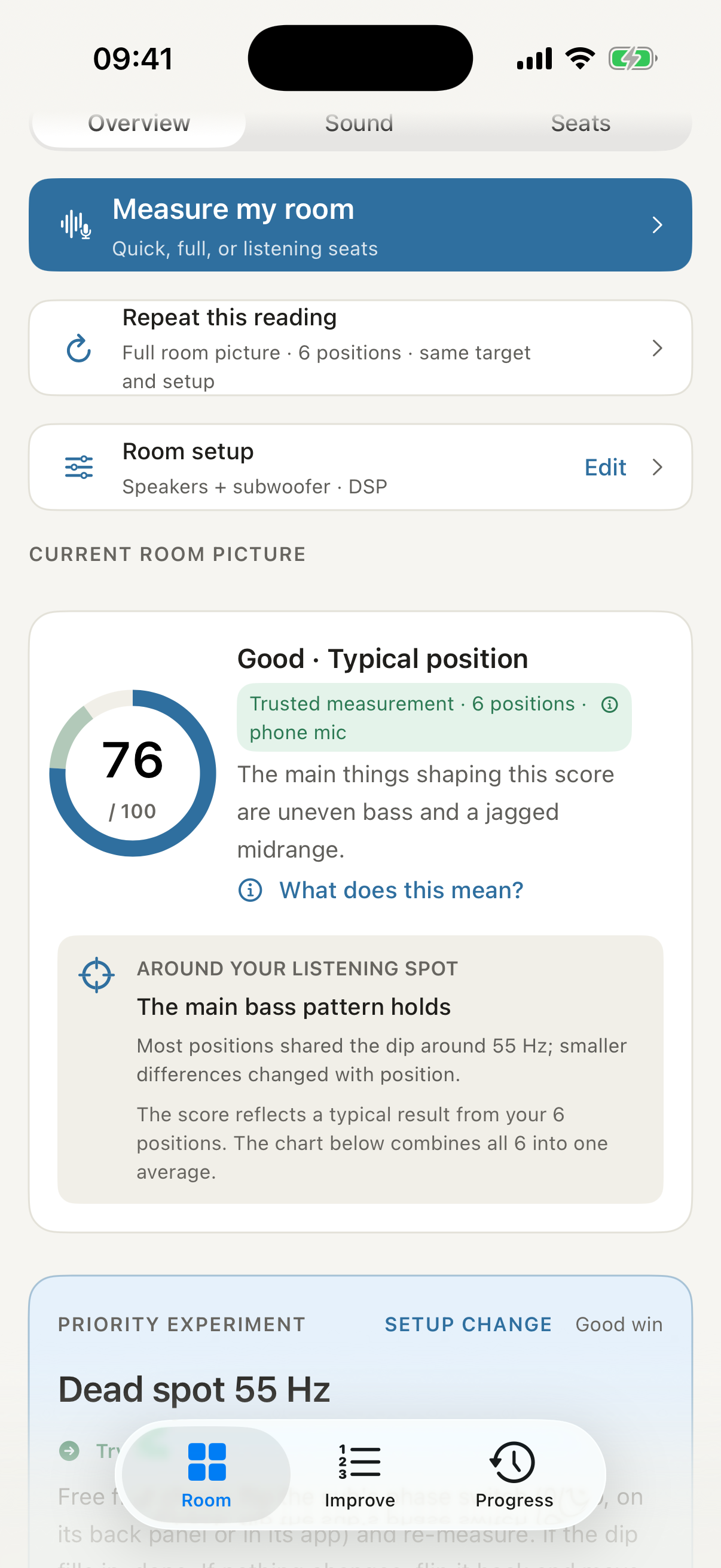
Useful from the first reading
Know what to try next.
Free includes a complete diagnosis and your top fix, with the reason behind it. Keep measuring the same room as you make changes.
Measure from your seat
Play the guided test through your AirPlay 2 system. Your iPhone microphone listens.
Make one practical change
Use your diagnosis and top fix to choose a sensible next move. No extra microphone needed.
Measure again
See your first and current scores side by side. Keep what helps, and learn from trade-offs.
Check your setup
An iPhone. An AirPlay 2 system. Your listening seat.
You need iOS 17 or later and an AirPlay 2 speaker, receiver or Apple TV. Bluetooth-only or wired-only systems are not supported for this measurement workflow.
Phone-speaker mode is a demonstration, not a measurement of your room. Audio is processed on your iPhone; recordings are not uploaded.
When you want to go further
Free for your first room.
Pro for the full plan.
Pro adds a ranked fix plan, guided experiments, comparisons across listening seats and unlimited rooms.
Try it in the room you already have.
Start free. Measure one room as often as you like.
Download free on the App Store